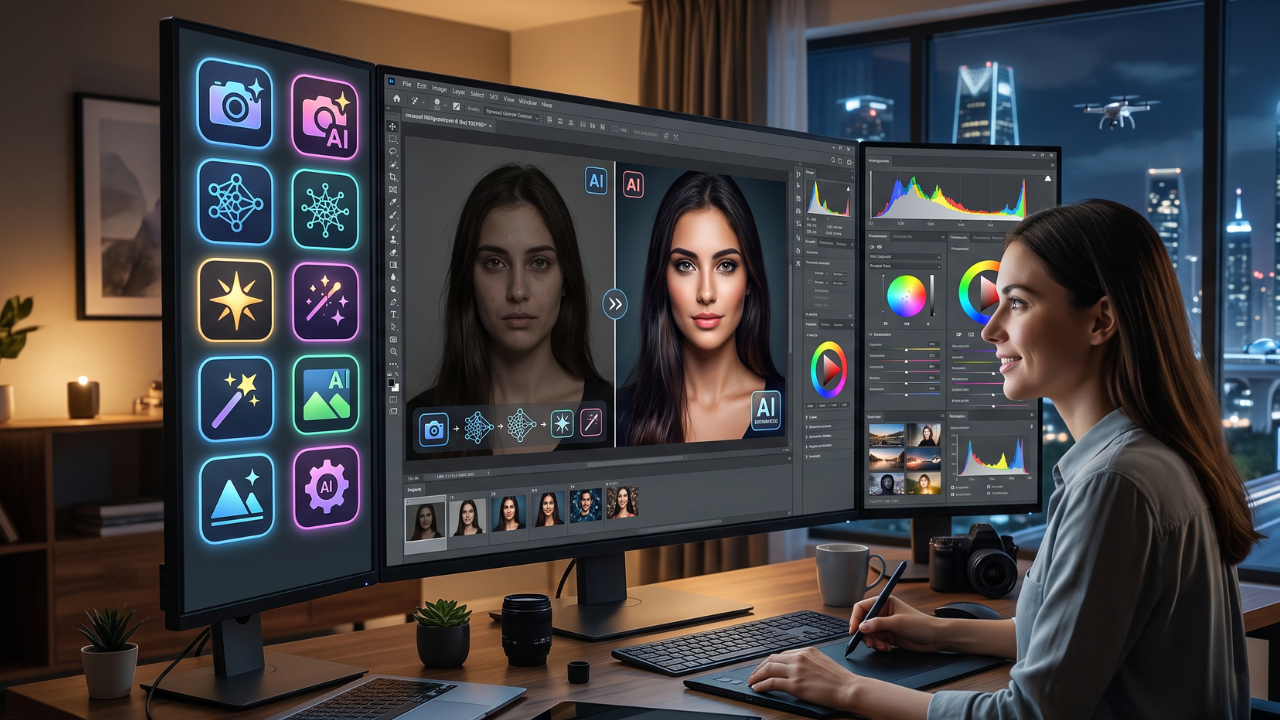
Looking for the best free AI photo editing app? This guide covers the top 10 AI-powered photo editors that can remove backgrounds, enhance image quality, erase unwanted objects, generate AI effects, and create professional-looking photos with just a few clicks.
What is an AI Photo Editing App?
An AI photo editing app is software that uses artificial intelligence to automatically enhance, retouch, and transform digital images. Unlike traditional photo editors that require manual adjustments, AI-powered tools analyze your photos and apply intelligent edits such as background removal, object erasing, color correction, noise reduction, image upscaling, portrait retouching, and creative effects in seconds.
Today, AI photo editing has become accessible to everyone—from casual smartphone users to professional photographers and digital marketers. Many apps now offer advanced features that once required expensive desktop software, making it easier than ever to create high-quality visuals for social media, business, e-commerce, and personal projects.
Whether you’re editing selfies, product photos, travel pictures, or marketing materials, AI photo editing apps can dramatically improve image quality while saving valuable time.
Main Benefits of AI Photo Editing Apps
AI-powered editors offer a faster and more efficient way to create stunning images.
Key Benefits
- Enhance image quality automatically.
- Remove backgrounds with one click.
- Erase unwanted objects or people.
- Improve lighting, colors, and sharpness.
- Restore old or blurry photos.
- Generate AI-powered artistic effects.
- Save significant editing time.
- Produce professional-quality images without advanced editing skills.
- Optimize images for social media and e-commerce.
- Access free editing features on mobile and desktop.
Complete Guide to AI Photo Editing Apps
Preparation
Before choosing an AI photo editor, consider the type of editing you need.
Ask yourself:
- Are you editing portraits, products, landscapes, or documents?
- Do you need background removal?
- Is image upscaling important?
- Will you edit photos on mobile, desktop, or both?
- Do you prefer a completely free app or a premium subscription with advanced features?
Having clear editing goals helps you select the right AI tool.
The Main Process
Below are 10 of the best AI photo editing apps available in 2026.
1. Adobe Express AI
Adobe Express combines easy-to-use editing tools with AI features such as background removal, object cleanup, image enhancement, and creative design tools.
Best for: Content creators and small businesses.
2. Canva AI Photo Editor
Canva includes AI-powered photo editing features that make it easy to enhance images, remove backgrounds, erase objects, and create social media graphics.
Best for: Beginners and marketers.
3. PhotoRoom
PhotoRoom specializes in AI background removal and product photography, making it popular among online sellers and e-commerce businesses.
Best for: Product photos and marketplaces.
4. Pixlr AI
Pixlr offers browser-based AI editing tools, including image generation, object removal, filters, and automatic enhancements.
Best for: Quick online editing.
5. Fotor AI
Fotor provides portrait retouching, AI enhancement, background removal, and creative filters through an intuitive interface.
Best for: Portrait photography.
6. Remini
Remini uses AI to restore blurry, old, or low-resolution photos with remarkable clarity.
Best for: Photo restoration.
7. PicsArt AI
PicsArt combines AI editing, creative filters, stickers, background replacement, and generative AI tools in one platform.
Best for: Social media content.
8. Snapseed
Developed by Google, Snapseed offers professional editing controls alongside intelligent enhancement tools, making it a favorite among mobile photographers.
Best for: Mobile photography.
9. Luminar Neo
Luminar Neo is an advanced AI-powered editor designed for photographers who want precise control while benefiting from intelligent automation.
Best for: Professional photography.
10. Clipdrop
Clipdrop offers powerful AI features including background removal, image cleanup, relighting, upscaling, and object replacement.
Best for: Creative professionals and designers.
Result & Evaluation
After editing your image, review the final output carefully.
Evaluate the following:
- Image sharpness
- Natural-looking colors
- Background quality
- Noise reduction
- Lighting balance
- Object removal accuracy
- Export resolution
- File size optimization
- Overall realism
- Suitability for its intended purpose
Comparing multiple AI editors helps you identify which platform consistently delivers the best results for your workflow.
| AI Photo Editing App | Free Version | Background Removal | AI Enhancement | Best For |
|---|---|---|---|---|
| Adobe Express AI | ✅ | ✅ | ✅ | Business graphics |
| Canva AI | ✅ | ✅ | ✅ | Social media |
| PhotoRoom | ✅ | ✅ | Limited | E-commerce |
| Pixlr AI | ✅ | ✅ | ✅ | Online editing |
| Fotor AI | ✅ | ✅ | ✅ | Portrait editing |
| Remini | Limited | ❌ | ✅ | Photo restoration |
| PicsArt AI | ✅ | ✅ | ✅ | Creative editing |
| Snapseed | ✅ | ❌ | Limited | Mobile photography |
| Luminar Neo | Trial | Limited | ✅ | Professional editing |
| Clipdrop | Limited | ✅ | ✅ | Designers |
Additional Tips for Maximum Results

To achieve professional-looking edits with AI, follow these practical recommendations:
- Start with the highest-quality original image possible to maximize AI enhancement results.
- Avoid excessive filters or over-editing, as natural-looking photos are generally more appealing.
- Use AI background removal together with manual touch-ups for cleaner edges.
- Export images in the appropriate resolution and format based on where they will be published, such as websites, social media, or print.
Frequently Asked Questions (FAQ)
Which AI photo editing app is best for beginners?
Canva AI and Adobe Express AI are excellent choices because they provide simple interfaces, automatic editing tools, and high-quality templates suitable for users with little editing experience.
Are free AI photo editing apps good enough for professional work?
Yes. Many free AI editors offer features such as background removal, image enhancement, and object cleanup that are suitable for professional presentations, websites, and social media. Advanced features may require a paid subscription.
Can AI improve blurry or old photos?
Yes. Apps like Remini and Luminar Neo use AI technology to sharpen blurry images, restore old photographs, reduce noise, and improve overall image quality.
Conclusion & Call to Action
AI photo editing apps have made professional-quality image editing faster, easier, and more accessible than ever. Whether you’re enhancing personal photos, creating social media content, editing product images, or designing marketing materials, the right AI tool can help you achieve impressive results with minimal effort.
If you found this guide helpful, share it with friends, classmates, or colleagues, and explore more AI tools, free templates, and productivity resources on Soxvo to stay updated with the latest digital trends and creative technologies.