Artificial Intelligence (AI) is no longer a premium technology reserved for large corporations. In 2026, a growing number of free AI tools are helping students, professionals, freelancers, entrepreneurs, and content creators work more efficiently. From writing and graphic design to video editing and research, these AI-powered applications can automate repetitive tasks and significantly boost productivity.
If you’re looking to save time without spending money, here are the 10 best free AI tools in 2026 that are worth trying.
1. Canva AI
Best for: Graphic design, presentations, and social media content
Canva AI continues to be one of the most beginner-friendly design platforms available. Features like Magic Design, Magic Write, and Magic Edit allow users to create professional-quality graphics, presentations, social media posts, and marketing materials simply by entering a short text prompt.
Whether you’re a student preparing a class presentation, a small business owner designing promotional materials, or a content creator managing multiple social media platforms, Canva AI makes design faster and more accessible.
Key Features
- AI-powered design suggestions
- Text-to-image generation
- Smart photo editing
- Presentation creation
- Thousands of customizable templates
2. Notion AI
Best for: Note-taking, project management, and documentation
Notion AI transforms the way people organize information. It can summarize meeting notes, generate content ideas, create task lists, improve writing, and organize project documentation within a single workspace.
Its seamless integration with the Notion platform makes it an excellent choice for professionals and collaborative teams.
Key Features
- AI writing assistance
- Automatic summaries
- Project organization
- Brainstorming support
- Task management
3. ChatGPT Free
Best for: Writing, brainstorming, learning, and problem-solving
The free version of ChatGPT remains one of the most versatile AI assistants available. It helps users generate ideas, answer questions, draft emails, write articles, explain complex topics, and solve everyday problems.
Whether you’re creating content, studying, coding, or planning a project, ChatGPT can dramatically improve your workflow.
Key Features
- Content generation
- Brainstorming ideas
- Coding assistance
- Research support
- Writing improvement
4. Grammarly
Best for: English writing and communication
Grammarly helps users write more clearly and professionally by correcting grammar, spelling, punctuation, and sentence structure.
Recent AI-powered improvements also provide suggestions for tone, clarity, readability, and writing style, making it an excellent tool for business communication, academic writing, and professional emails.
Key Features
- Grammar correction
- Tone detection
- Style recommendations
- Plagiarism support (premium)
- Writing clarity improvements
5. DeepL Translator
Best for: Accurate language translation
DeepL has earned a strong reputation for producing more natural translations than many traditional translation tools.
It supports numerous languages and performs particularly well with professional documents, business communication, and academic content while preserving context and meaning.
Key Features
- Natural translations
- Multiple language support
- Document translation
- Context-aware AI
- High translation accuracy
6. CapCut AI
Best for: AI-powered video editing
CapCut AI makes professional video editing accessible to everyone. Its AI tools automate tasks such as caption generation, background removal, object tracking, voice enhancement, and video upscaling.
Content creators on TikTok, Instagram Reels, and YouTube Shorts can produce polished videos in far less time.
Key Features
- Automatic captions
- AI video enhancement
- Background removal
- Voice cleanup
- Smart editing templates
7. Remove.bg
Best for: Background removal
Remove.bg specializes in one task—and it performs it exceptionally well.
Within seconds, the platform automatically removes image backgrounds while preserving fine details like hair and edges, eliminating the need for complex editing software.
This tool is especially useful for product photography, marketing materials, online stores, and professional profile photos.
Key Features
- One-click background removal
- High-quality edge detection
- Transparent PNG export
- Fast processing
- Beginner-friendly interface
8. Slidesgo AI
Best for: Presentation creation
Slidesgo AI simplifies presentation design by generating professionally designed slide decks based on your topic.
Instead of starting from scratch, users receive well-structured presentations complete with attractive layouts, helping save hours of design work.
It’s particularly useful for educators, students, consultants, and business professionals.
Key Features
- AI-generated presentations
- Professional templates
- Business layouts
- Educational themes
- Easy customization
9. Perplexity AI
Best for: Research and information discovery
Perplexity AI combines conversational AI with a search engine to provide concise answers supported by source references.
Unlike traditional search engines that require users to browse multiple websites, Perplexity summarizes information while citing reliable sources, making research faster and more efficient.
Key Features
- AI-powered search
- Source citations
- Fast research
- Conversational interface
- Reliable summaries
10. Gamma
Best for: AI presentations and visual documents
Gamma allows users to generate presentations, reports, proposals, and interactive documents using simple text prompts.
Instead of manually designing slides, users can focus on their ideas while Gamma automatically creates visually appealing layouts and organizes information into a polished presentation.
Key Features
- AI presentation generator
- Interactive documents
- Modern layouts
- Automatic formatting
- Easy collaboration
Why You Should Start Using AI Tools

AI tools aren’t designed to replace human creativity—they’re built to eliminate repetitive work and help people focus on higher-value tasks.
Whether you’re writing reports, editing videos, designing graphics, conducting research, or organizing projects, AI can help you:
- Save valuable time
- Improve productivity
- Generate creative ideas faster
- Produce professional-quality work
- Reduce repetitive manual tasks
- Enhance collaboration
- Learn new skills more efficiently
The best part is that many of these tools offer generous free plans, making advanced AI technology accessible to everyone.
Final Thoughts
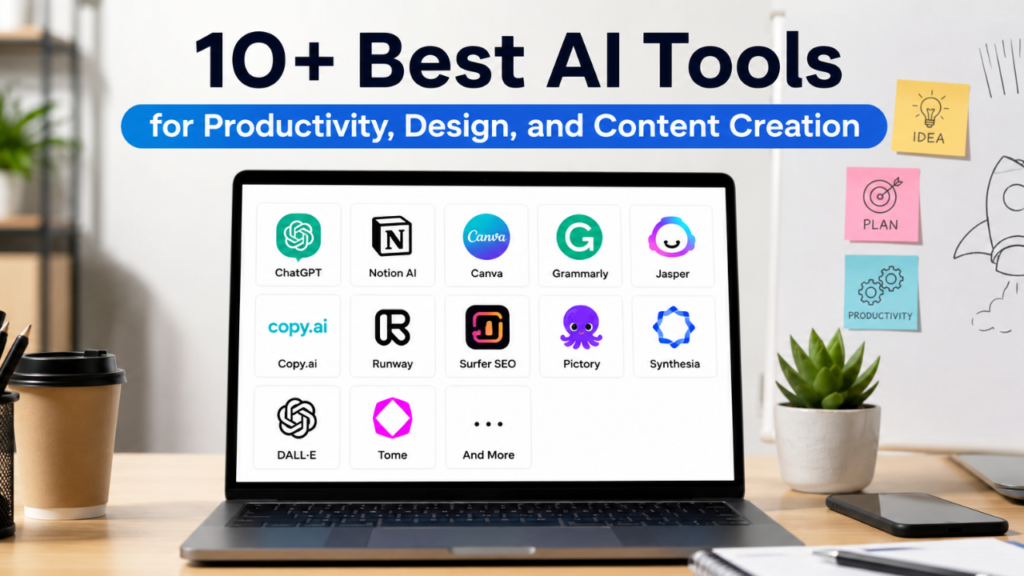
Artificial Intelligence has become an essential part of modern productivity. With free AI tools like Canva AI, Notion AI, ChatGPT, Grammarly, DeepL, CapCut AI, Remove.bg, Slidesgo AI, Perplexity AI, and Gamma, anyone can work smarter without investing in expensive software.
Whether you’re a student, entrepreneur, freelancer, office professional, or content creator, incorporating just a few of these AI tools into your daily workflow can save hours each week while improving the quality of your work. Start by exploring one or two tools that match your needs, and you’ll quickly discover how AI can make everyday tasks faster, easier, and more efficient.