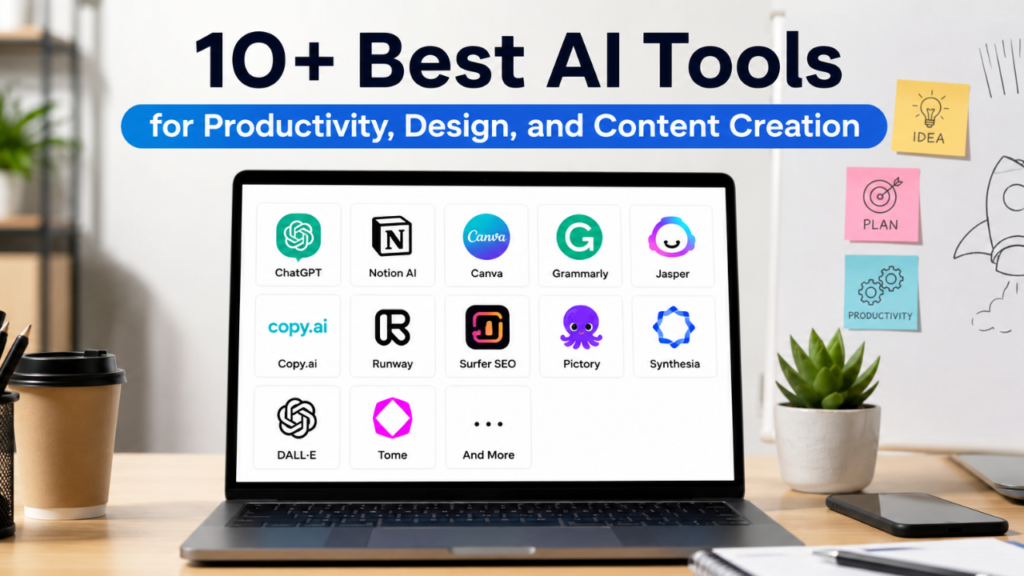
The best AI tools can save hours every week by automating writing, research, meeting notes, design, and task management. Whether you’re a professional, freelancer, student, or business owner, these five AI tools genuinely improve daily productivity and help you work faster without sacrificing quality.
What Are AI Productivity Tools?
AI productivity tools are software applications powered by artificial intelligence that help users complete tasks more efficiently. Instead of replacing human skills, these tools automate repetitive work, organize information, generate ideas, and assist with decision-making.
Today, AI is integrated into nearly every profession. Content creators use AI to draft articles, marketers create campaigns more quickly, developers write and debug code, designers generate visual concepts, and business owners automate customer support and reporting.
The real value of AI productivity tools lies in saving time while allowing users to focus on creative thinking, strategy, and problem-solving. Choosing the right AI tools can significantly improve workflow, reduce manual effort, and increase overall productivity.
Main Benefits of AI Productivity Tools
Using AI tools in your daily workflow offers several practical benefits.
- Save hours on repetitive tasks.
- Improve writing quality and communication.
- Speed up research and information gathering.
- Automate meeting summaries and documentation.
- Generate creative ideas faster.
- Improve project organization.
- Reduce human error in routine tasks.
- Increase collaboration across teams.
- Boost productivity without increasing workload.
- Support better decision-making with AI-assisted insights.
Complete Guide to the Best AI Productivity Tools
Preparation
Before choosing an AI tool, identify your biggest productivity challenges.
Ask yourself:
- Do you spend too much time writing?
- Do meetings consume your day?
- Is research slowing down projects?
- Do you struggle with organization?
- Do you need help creating presentations or designs?
Once you’ve identified your bottlenecks, select tools that solve those specific problems rather than installing every AI application available.
The Main Process
1. ChatGPT – Best Overall AI Assistant
Best for:
- Writing
- Brainstorming
- Coding assistance
- Research
- Summarizing documents
- Email drafting
- Learning new topics
ChatGPT is one of the most versatile AI assistants available today. It helps users generate ideas, explain complex concepts, improve writing, create content outlines, and solve everyday work challenges.
Professionals use it for drafting reports, creating marketing copy, answering technical questions, and accelerating routine tasks.
Key advantages
- Easy to use
- Supports multiple industries
- Produces high-quality text
- Excellent for problem-solving
- Saves significant time on daily work
2. Microsoft Copilot – Best for Microsoft 365 Users
Best for:
- Excel analysis
- Word documents
- PowerPoint presentations
- Outlook emails
- Teams meetings
Microsoft Copilot integrates directly with Microsoft 365 applications, helping users summarize documents, analyze spreadsheets, generate presentations, and manage emails more efficiently.
For businesses already using Microsoft products, Copilot fits naturally into existing workflows.
Key advantages
- Deep Microsoft integration
- Automates office tasks
- Improves document creation
- Simplifies spreadsheet analysis
3. Notion AI – Best for Knowledge Management
Best for:
- Note-taking
- Project planning
- Documentation
- Team collaboration
- Knowledge organization
Notion AI combines workspace management with AI-powered writing assistance. It can summarize meeting notes, organize project documentation, generate task lists, and improve written content.
Teams often use Notion AI as a centralized knowledge hub for ongoing projects.
Key advantages
- Organized workspace
- Excellent collaboration features
- Smart document summaries
- Easy project management
4. Grammarly – Best for Professional Writing
Best for:
- Grammar checking
- Email editing
- Business communication
- Reports
- Academic writing
Grammarly goes beyond spelling correction by improving clarity, tone, readability, and professionalism. It helps writers produce polished documents with fewer errors.
It is particularly valuable for professionals who communicate regularly with clients or colleagues.
Key advantages
- Real-time writing suggestions
- Tone detection
- Better readability
- Professional communication support
5. Canva AI – Best for Visual Content Creation
Best for:
- Social media graphics
- Presentations
- Marketing materials
- Infographics
- Posters
- Brand assets
Canva AI simplifies graphic design by generating layouts, images, presentations, and marketing visuals with minimal effort. Even users with little design experience can produce professional-looking content quickly.
Businesses, educators, and creators frequently rely on Canva AI to maintain consistent branding while reducing design time.
Key advantages
- Beginner-friendly interface
- Fast design creation
- AI-powered image generation
- Large template library
Result & Evaluation
After using these tools consistently, review how they affect your daily workflow.
Measure improvements such as:
- Hours saved each week.
- Faster project completion.
- Improved content quality.
- Better communication.
- Reduced repetitive work.
- Higher productivity.
- Better team collaboration.
You don’t need to use every AI tool available. Many professionals achieve excellent results by mastering just two or three tools that align with their specific responsibilities.
| AI Tool | Best For | Main Strength | Ideal Users |
|---|---|---|---|
| ChatGPT | Writing, research, brainstorming | Versatile AI assistant | Professionals, students, creators |
| Microsoft Copilot | Microsoft 365 productivity | Office automation | Businesses and corporate teams |
| Notion AI | Documentation and planning | Knowledge management | Teams, startups, project managers |
| Grammarly | Writing improvement | Grammar and clarity | Writers, marketers, professionals |
| Canva AI | Graphic design | Visual content creation | Designers, creators, small businesses |
Additional Tips for Maximum Results
1. Combine Multiple AI Tools
Each AI tool has unique strengths. For example, brainstorm ideas with ChatGPT, organize projects in Notion AI, refine your writing with Grammarly, and create visuals using Canva AI.
2. Learn Prompt Writing
Providing clear, detailed instructions leads to better AI-generated results. Include your goal, audience, preferred tone, and desired format whenever possible.
3. Verify Important Information
AI can occasionally make mistakes or provide outdated details. Always review facts, calculations, and sensitive information before using them professionally.
4. Keep Human Creativity at the Center
Use AI to handle repetitive work while reserving strategic thinking, creativity, and decision-making for yourself. This combination delivers the best long-term results.
Frequently Asked Questions (FAQ)
Which AI tool is best for overall productivity?
ChatGPT is one of the most versatile options because it supports writing, research, brainstorming, coding assistance, and problem-solving across many industries.
Can AI tools replace human workers?
No. AI is most effective as a productivity assistant. Human expertise remains essential for creativity, judgment, relationship building, and complex decision-making.
Should I use multiple AI tools together?
Yes. Many professionals combine specialized AI tools to create efficient workflows, using each tool for the tasks it performs best.
Conclusion & Call to Action
The right AI tools can dramatically improve your daily workflow by reducing repetitive tasks, enhancing communication, and helping you complete projects more efficiently. Rather than trying every new AI platform, focus on the tools that solve your biggest productivity challenges.
If you found this guide helpful, share it with your colleagues or friends who want to work smarter with AI. Explore our other AI productivity guides to discover more tools, automation techniques, and practical workflows that can help you save time and achieve better results every day.