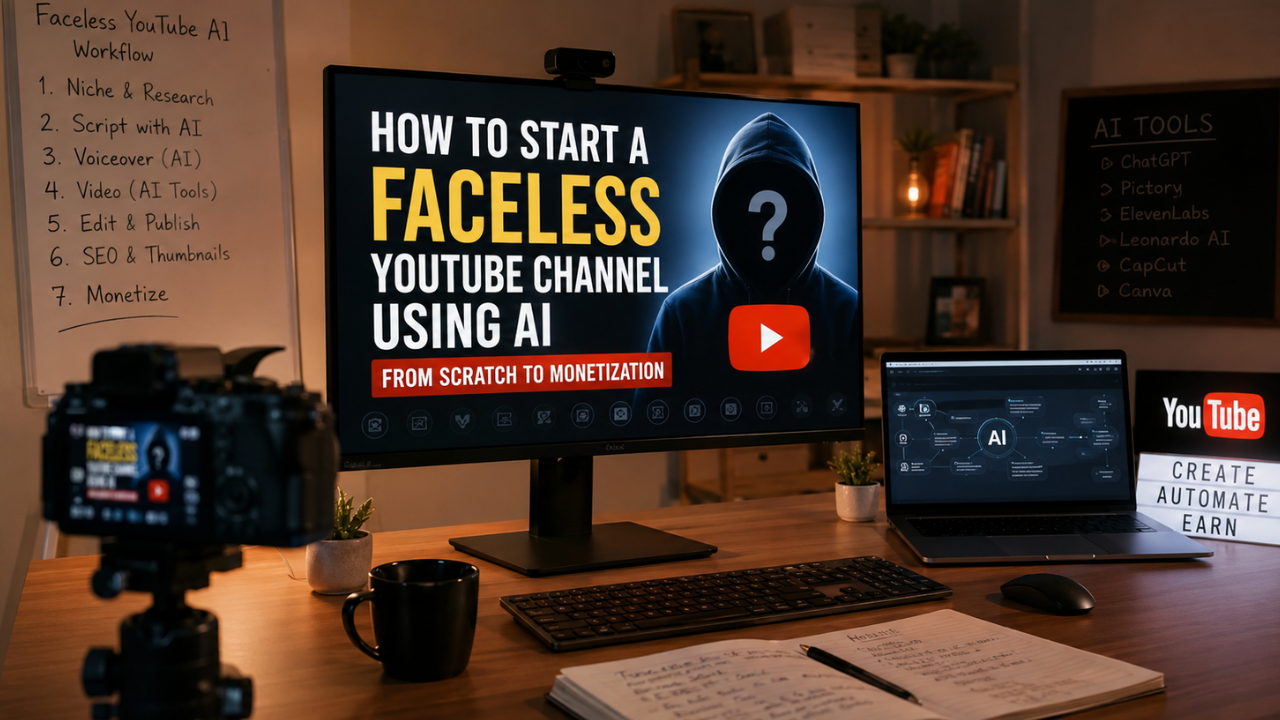
Want to build a faceless YouTube channel with AI? This step-by-step guide shows you how to choose a profitable niche, create videos using AI tools, optimize your content for YouTube SEO, grow your audience, and meet the YouTube Partner Program requirements for monetization.
What is a Faceless YouTube Channel Using AI?
A faceless YouTube channel using AI is a YouTube channel where the creator does not appear on camera. Instead, videos are produced using AI-powered tools for script writing, voice generation, image creation, video editing, subtitles, and content planning.
This approach has become increasingly popular because it allows individuals to create professional-quality videos without expensive equipment or on-camera experience. AI streamlines repetitive tasks, helping creators publish content more consistently while maintaining quality.
However, success still depends on originality, useful information, engaging storytelling, and compliance with YouTube’s monetization policies. AI should be used to assist the creative process—not replace it.
Main Benefits of a Faceless YouTube Channel Using AI
- No need to appear on camera.
- Lower startup costs compared to traditional video production.
- Faster content creation with AI-assisted workflows.
- Easy to scale by publishing consistently.
- Suitable for individuals, freelancers, and small businesses.
- Can target multiple evergreen niches.
- AI tools simplify scripting, voiceovers, editing, and thumbnails.
- Potential to generate revenue through YouTube monetization, affiliate marketing, sponsorships, and digital products.
Complete Guide to Starting a Faceless YouTube Channel Using AI (Step-by-Step)
Step 1: Preparation
A successful channel starts with careful planning rather than immediately creating videos.
Choose a Profitable Niche
Select a niche that combines audience demand with your ability to consistently produce valuable content.
Popular examples include:
- Artificial Intelligence
- Technology
- Personal Finance
- Productivity
- Online Business
- Educational Content
- Software Tutorials
- Health & Wellness
- History
- Travel
- Book Summaries
Avoid selecting a niche solely because it is trending. Evergreen topics often provide more stable long-term traffic.
Research Your Audience
Understand:
- Common questions
- Search intent
- Competitor content
- Viewer expectations
- Video formats that perform well
Reading comments on popular videos is a simple way to discover recurring audience problems and content ideas.
Prepare Your Brand
Create:
- Channel name
- Logo
- Banner
- Color palette
- Intro and outro
- Thumbnail style
A consistent visual identity helps viewers recognize your content.
Step 2: The Main Process
Create Content Ideas
Use keyword research tools, YouTube search suggestions, and audience questions to build a list of topics.
Organize ideas into categories such as:
- Tutorials
- Comparisons
- Reviews
- Lists
- News
- Tips
- Case studies
Planning content in advance makes it easier to maintain a regular publishing schedule.
Write Original Scripts
Use AI to generate a first draft, then edit it thoroughly.
Focus on:
- Accuracy
- Clear structure
- Natural language
- Practical examples
- Smooth transitions
Adding your own insights and research makes the content more valuable and helps distinguish it from generic AI-generated material.
Generate Voiceovers
AI voice generators can produce natural-sounding narration.
When selecting a voice:
- Prioritize clarity over dramatic effects.
- Match the tone to your audience.
- Maintain consistent pronunciation.
- Adjust pacing for readability.
A professional voiceover significantly improves viewer retention.
Produce Visuals
Depending on your niche, combine:
- Stock footage
- Screen recordings
- AI-generated illustrations
- Charts
- Animations
- Icons
- Product demonstrations
Ensure that you have the necessary rights to use any media included in your videos.
Edit the Video
Keep the editing dynamic by:
- Changing visuals frequently.
- Adding captions.
- Using smooth transitions.
- Including background music where appropriate.
- Highlighting key information.
Fast-paced editing helps maintain audience attention, especially during the opening seconds.
Design High-CTR Thumbnails
Your thumbnail should:
- Feature one clear focal point.
- Use high contrast.
- Include minimal text.
- Remain readable on mobile devices.
- Match your branding.
A compelling thumbnail paired with a strong title can improve click-through rate without resorting to misleading claims.
Optimize for YouTube SEO
Before publishing:
- Include the primary keyword in the title.
- Write a descriptive video description.
- Add relevant tags where appropriate.
- Organize videos into playlists.
- Use chapters for longer videos.
- Add subtitles to improve accessibility.
Optimization helps YouTube better understand your content and recommend it to relevant viewers.
Step 3: Result & Evaluation
After publishing, review your analytics regularly.
Monitor:
- Impressions
- Click-Through Rate (CTR)
- Average View Duration
- Audience Retention
- Watch Time
- Subscriber Growth
- Traffic Sources
- Returning Viewers
If a video underperforms, test improvements such as a new thumbnail or title. Focus on long-term trends rather than judging success from a single upload.
Preparing for Monetization
To qualify for the YouTube Partner Program (YPP), your channel must meet YouTube’s current eligibility requirements and comply with its monetization policies.
Beyond YouTube ads, consider diversifying your income through:
- Affiliate marketing
- Sponsored content
- Digital products
- Online courses
- Memberships
- Consulting services
Multiple revenue streams can make your channel more sustainable over time.
Comparison Table / Data Summary
| Stage | Main Objective | Recommended AI Assistance | Key Outcome |
|---|---|---|---|
| Niche Research | Identify demand | Keyword research & idea generation | Sustainable content strategy |
| Script Writing | Create valuable content | AI drafting with human editing | High-quality scripts |
| Voiceover | Improve narration | AI voice generation | Professional audio |
| Visual Production | Enhance storytelling | AI images, animations, stock media | Engaging videos |
| Editing | Increase viewer retention | AI-assisted editing tools | Better watch time |
| Thumbnail Design | Improve CTR | AI design support | More clicks |
| SEO Optimization | Increase discoverability | AI keyword suggestions | Better search visibility |
| Analytics Review | Improve future content | AI data summaries | Continuous growth |
Additional Tips for Maximum Results
- Publish consistently instead of aiming for perfection. A regular upload schedule helps build momentum and audience expectations.
- Combine AI efficiency with your own expertise. Personal insights, original examples, and accurate information make your content stand out.
- Build a recognizable brand by using consistent thumbnails, colors, and presentation styles across every video.
- Stay informed about YouTube’s policies regarding reused or low-value content to ensure your videos remain eligible for monetization.
Frequently Asked Questions (FAQ)
1. Can a faceless AI YouTube channel be monetized?
Yes. Channels that produce original, valuable content and comply with YouTube’s monetization policies can qualify for the YouTube Partner Program.
2. Do I need expensive software to start?
No. Many free or affordable AI tools can help with scripting, voiceovers, design, and editing, making it possible to launch a channel with a modest budget.
3. How long does it take to monetize a new channel?
The timeline varies depending on your niche, content quality, consistency, audience engagement, and how quickly you meet YouTube’s current Partner Program requirements.
Conclusion & Call to Action
Building a faceless YouTube channel with AI is an accessible way to create content without appearing on camera, but lasting success depends on originality, consistency, and providing real value to viewers. AI can speed up production, while your ideas, editing, and strategy shape a channel that people want to watch.
If you found this guide helpful, share it with other aspiring creators and explore our related articles on AI video tools, YouTube SEO, thumbnail design, content planning, and monetization strategies to continue growing your channel.