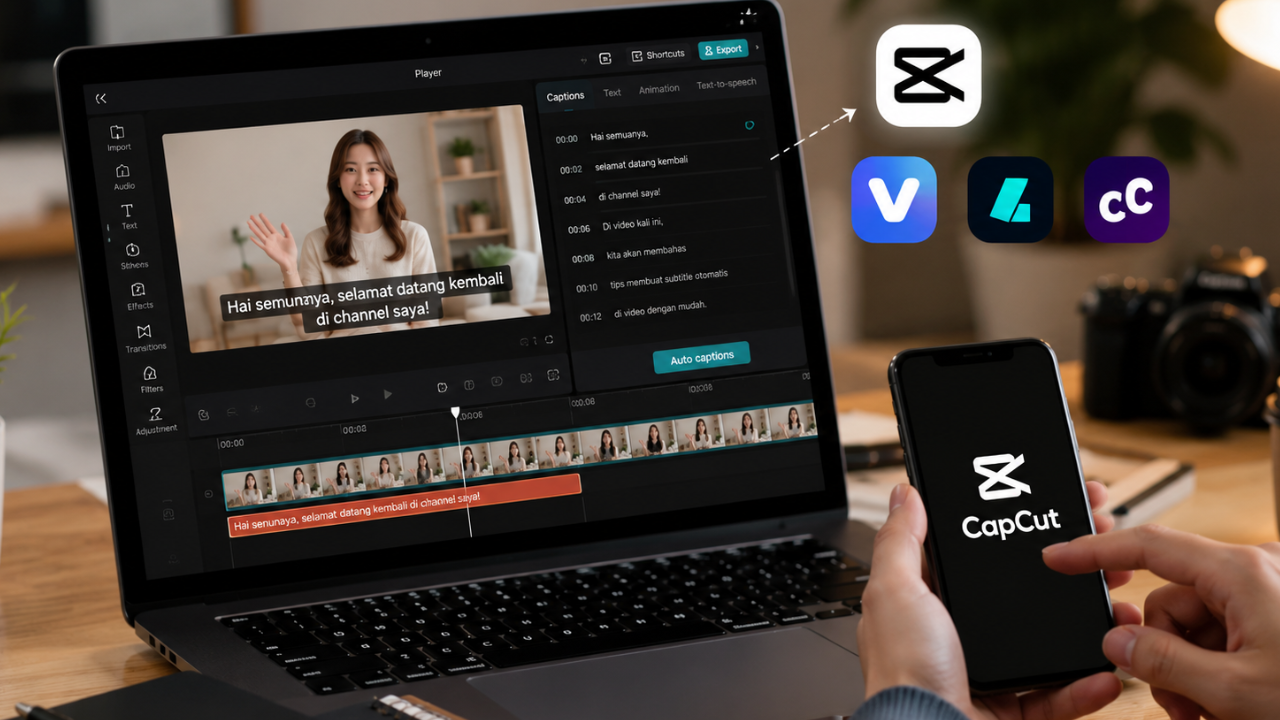
 Best Automatic Indonesian Subtitle Apps Besides CapCut for Accurate Video Captions
Snippet
Looking for the best automatic Indonesian subtitle app besides CapCut? This guide reviews the most accurate AI-powered subtitle generators that support Bahasa Indonesia, helping you create professional captions for YouTube, TikTok, Instagram Reels, and other social media platforms with minimal editing.
What Are Automatic Indonesian Subtitle Apps?
Automatic subtitle apps use artificial intelligence and speech recognition technology to convert spoken audio into synchronized captions. Modern AI subtitle generators can recognize different speakers, punctuation, and timing while supporting multiple languages, including Bahasa Indonesia.
Subtitles have become an essential part of video content because many viewers watch videos without sound, especially on mobile devices. Accurate captions improve accessibility, increase audience retention, and help viewers understand your message in noisy environments.
Although CapCut is one of the most popular subtitle generators, several alternative apps offer comparable—or even more advanced—features for creators who need higher accuracy, better editing tools, or professional workflows.
Main Benefits of Automatic Subtitle Apps
- Generate subtitles in minutes without manual typing.
- Improve accessibility for viewers who watch videos without audio.
- Increase audience retention on short-form and long-form videos.
- Support Indonesian and multiple international languages.
- Save hours of editing compared to manual captioning.
- Enhance engagement on YouTube, TikTok, Instagram, and Facebook.
- Allow easy subtitle customization with fonts, colors, and animations.
- Improve content professionalism and viewing experience.
Complete Guide to Choosing an Automatic Indonesian Subtitle App (Step-by-Step)
Step 1: Preparation
 Before selecting a subtitle app, determine your content requirements.
Consider:
- Video platform (YouTube, TikTok, Instagram, Facebook)
- Video duration
- Recording quality
- Speaking speed
- Number of speakers
- Subtitle style
- Export format
Clear audio significantly improves subtitle accuracy, regardless of the application you choose.
It’s also helpful to decide whether you need simple captions for social media or editable subtitle files such as SRT for professional video production.
Step 2: The Main Process
Below are some of the best automatic subtitle apps that support Bahasa Indonesia and serve as excellent alternatives to CapCut.
1. VEED.io
VEED.io provides AI-powered subtitle generation with an intuitive browser-based editor.
Best For
- Social media creators
- Marketing videos
- Educational content
Advantages
- High subtitle accuracy
- Easy editing
- Multiple export formats
- Cloud-based workflow
Limitations
- Free exports may include branding or usage limits.
2. Submagic
Submagic specializes in creating engaging animated captions designed for short-form content.
Best For
- TikTok
- Instagram Reels
- YouTube Shorts
Advantages
- Dynamic subtitle animations
- Automatic emoji support
- Fast processing
- Beginner-friendly interface
Limitations
- Advanced customization requires a paid subscription.
3. Descript
Descript combines automatic transcription with video and audio editing.
Best For
- Podcasts
- Interviews
- YouTube videos
- Educational content
Advantages
- Accurate transcription
- Built-in editing tools
- Multi-speaker recognition
- Screen recording support
Limitations
- The interface offers more advanced features, which may require a short learning period.
4. Kapwing
Kapwing includes AI subtitle generation alongside collaborative online video editing.
Best For
- Teams
- Marketing agencies
- Content creators
Advantages
- Collaborative editing
- Browser-based
- Multiple export options
- Simple workflow
Limitations
- Some premium features require a subscription.
5. Adobe Express
Adobe Express offers AI-powered caption generation integrated with lightweight video editing tools.
Best For
- Business videos
- Brand content
- Social media campaigns
Advantages
- Clean interface
- Adobe ecosystem integration
- Easy customization
- Professional templates
Limitations
- Certain advanced features are limited to premium users.
Step 3: Result & Evaluation
After generating subtitles, review the captions carefully before publishing.
Check for:
- Spelling accuracy
- Correct punctuation
- Proper timing
- Speaker identification
- Consistent formatting
- Readability on mobile devices
Even highly accurate AI subtitle tools can occasionally misinterpret names, technical terms, or regional accents, so a final manual review is always recommended.
Once your content is published, monitor audience metrics such as watch time, completion rate, engagement, and viewer retention. Videos with clear, synchronized subtitles often perform better because they remain understandable even when viewed without sound.
Comparison Table / Data Summary
| Subtitle App | Indonesian Support | Editing Features | Ease of Use | Best For |
|---|---|---|---|---|
| VEED.io | Excellent | Comprehensive | Easy | YouTube & educational videos |
| Submagic | Excellent | Animated captions | Very Easy | TikTok & Instagram Reels |
| Descript | Excellent | Advanced transcription | Medium | Podcasts & long-form videos |
| Kapwing | Very Good | Collaborative editing | Easy | Teams & social media creators |
| Adobe Express | Very Good | Video & caption editing | Easy | Brand and marketing content |
Additional Tips for Maximum Results
- Record in a quiet environment using a quality microphone to improve AI speech recognition and reduce subtitle errors.
- Keep subtitle lines short and readable. Display only one or two lines at a time so viewers can follow the content comfortably on mobile devices.
- Choose high-contrast colors and readable fonts to ensure captions remain visible against different video backgrounds.
- Always proofread AI-generated subtitles before publishing, especially when your content includes names, technical terminology, or local expressions.
Frequently Asked Questions (FAQ)
1. Are AI-generated Indonesian subtitles accurate?
Yes. Most modern subtitle generators provide high accuracy when the audio is clear, although reviewing the captions before publishing is still recommended.
2. Can I export subtitles as an SRT file?
Many subtitle applications support exporting captions in SRT, VTT, or TXT formats, making them compatible with YouTube and professional editing software.
3. Which subtitle app is the best CapCut alternative?
The best option depends on your workflow. VEED.io is well suited for general content creation, Submagic excels at animated captions for short-form videos, while Descript is ideal for podcasts and long-form educational content.
Conclusion & Call to Action
Automatic Indonesian subtitle apps make it easier than ever to create accessible, professional videos without spending hours typing captions manually. By selecting the right AI-powered tool, reviewing the generated subtitles, and maintaining a consistent visual style, you can improve viewer engagement and deliver a better experience across YouTube, TikTok, Instagram, and other platforms.
If this guide helped you, share it with fellow creators and explore our related articles on AI video editing tools, content creation workflows, YouTube SEO, TikTok growth strategies, and social media marketing to continue improving your video production process.