Want to create an AI talking avatar for Instagram educational content? This guide explains how AI avatars work, how to build one from scratch, and the best practices for producing engaging, professional videos that educate your audience without appearing on camera.
What is an AI Talking Avatar?
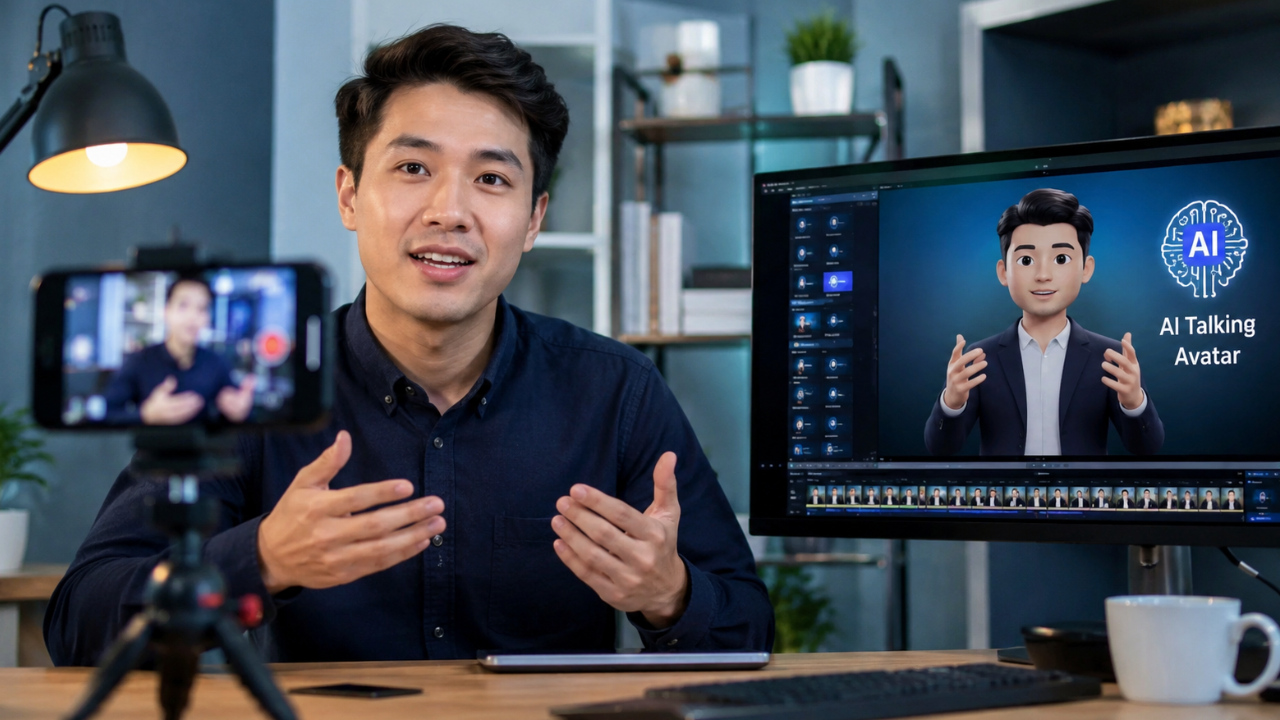
An AI talking avatar is a digital character that uses artificial intelligence to speak a written script through synchronized facial expressions, lip movements, and voice generation. Instead of recording yourself on camera, you can use an AI avatar to deliver educational content in a professional and consistent way.
AI talking avatars are becoming increasingly popular among educators, marketers, coaches, businesses, and content creators because they simplify video production while maintaining a polished appearance. Modern AI platforms can generate realistic avatars, natural voiceovers, multilingual narration, and automatic subtitles, making educational videos faster to produce.
Although AI automates much of the production process, the quality of the content still depends on accurate information, well-written scripts, and thoughtful editing.
Main Benefits of AI Talking Avatars
- Create educational videos without appearing on camera.
- Produce content faster than traditional video recording.
- Maintain a consistent presenter across all videos.
- Support multiple languages and voice styles.
- Reduce production costs for equipment and filming.
- Improve accessibility with automatic captions.
- Easily update scripts without re-recording videos.
- Suitable for Instagram Reels, Stories, and carousel video content.
Complete Guide to Creating an AI Talking Avatar (Step-by-Step)
Step 1: Preparation
Successful AI avatar videos begin with careful planning.
Before creating your avatar, prepare:
- Your educational topic
- Target audience
- Script outline
- Brand colors
- Logo
- Preferred voice style
- Visual references
- Background music
- Call-to-action
Keep your script concise. Instagram audiences often respond best to short, focused educational videos that deliver one clear takeaway.
Also, decide on the visual style of your avatar. A professional appearance should align with your brand identity and the expectations of your audience.
Step 2: The Main Process
Choose an AI Avatar Platform
Select an AI platform that offers:
- Realistic avatars
- Natural lip synchronization
- High-quality voice generation
- Indonesian or multilingual support if needed
- Subtitle generation
- Vertical video export
Different platforms vary in their avatar libraries, voice quality, editing flexibility, and pricing, so choose one that matches your workflow.
Write a High-Quality Script
Your script should follow a simple structure:
Hook
Capture attention within the first three seconds by presenting a problem, surprising fact, or question.
Value
Explain one key concept clearly using simple language and practical examples.
Summary
Reinforce the main lesson.
Call to Action
Invite viewers to comment, save, or share the video if they found it helpful.
Avoid long introductions. Educational Instagram videos perform better when they deliver useful information immediately.
Generate the Voice
Choose an AI voice that sounds natural and easy to understand.
Adjust:
- Speaking speed
- Tone
- Pronunciation
- Pauses
- Emphasis
A conversational delivery often keeps viewers engaged longer than an overly dramatic narration.
Customize the Avatar
Personalize your AI presenter by selecting:
- Clothing
- Background
- Camera framing
- Lighting
- Facial expressions
Maintain a consistent look across all videos to strengthen your brand identity.
Add Supporting Visuals
Educational videos become more engaging when paired with visual elements such as:
- Icons
- Charts
- Illustrations
- Screen recordings
- Animations
- Infographics
- Highlighted keywords
These visuals reinforce key points and help viewers retain information.
Edit for Instagram
Optimize your final video by:
- Using a 9:16 vertical format.
- Adding subtitles.
- Keeping transitions smooth.
- Including royalty-free background music.
- Removing unnecessary pauses.
Aim for a clean, mobile-friendly viewing experience.
Step 3: Result & Evaluation
Once your AI avatar video is published, review its performance using Instagram Insights.
Key metrics to monitor include:
- Views
- Watch time
- Audience retention
- Shares
- Saves
- Comments
- Reach
- Profile visits
- Follower growth
Educational content often benefits from high save and share rates, as viewers may return to the information later or recommend it to others.
If a video performs below expectations, experiment with different hooks, shorter scripts, improved visuals, or a different pacing style.
Comparison Table / Data Summary
| Feature | AI Talking Avatar | Traditional On-Camera Video |
|---|---|---|
| Camera Required | No | Yes |
| Recording Time | Very Low | High |
| Editing Effort | Moderate | Moderate to High |
| Presenter Consistency | Excellent | Depends on recording |
| Multilingual Support | Easy | Requires new recordings |
| Production Cost | Low to Moderate | Moderate to High |
| Content Updates | Simple script edits | Often requires re-recording |
| Best For | Educational content, tutorials, explainers | Personal branding, interviews, vlogs |
Additional Tips for Maximum Results
 Focus each video on one educational topic to keep the message clear and easy to follow.
- Use captions throughout the video, as many Instagram users watch without sound.
- Combine AI-generated narration with original examples and insights to make your content more distinctive and trustworthy.
- Maintain consistent branding through colors, typography, and avatar design to build recognition over time.
Frequently Asked Questions (FAQ)
1. Can AI avatars replace human presenters?
AI avatars are excellent for tutorials, explainers, and educational content, but human presenters may still be preferable when authenticity, personal storytelling, or live interaction is central to the content.
2. Do I need advanced video editing skills?
No. Most AI avatar platforms include beginner-friendly editors with templates, automatic lip-sync, and built-in subtitle generation.
3. Can AI avatar videos be monetized?
Yes. AI-assisted videos can be monetized on many platforms if they provide original value, comply with platform policies, and avoid repetitive or low-quality content.
Conclusion & Call to Action
AI talking avatars make it easier than ever to create professional educational content for Instagram without recording yourself on camera. By combining a clear script, engaging visuals, natural voiceovers, and consistent branding, you can produce informative videos that educate your audience while saving time and streamlining your workflow.
If this guide helped you, share it with fellow creators and explore our related articles on AI video generators, Instagram growth strategies, content planning, AI voice tools, and social media marketing to continue improving your educational content.