
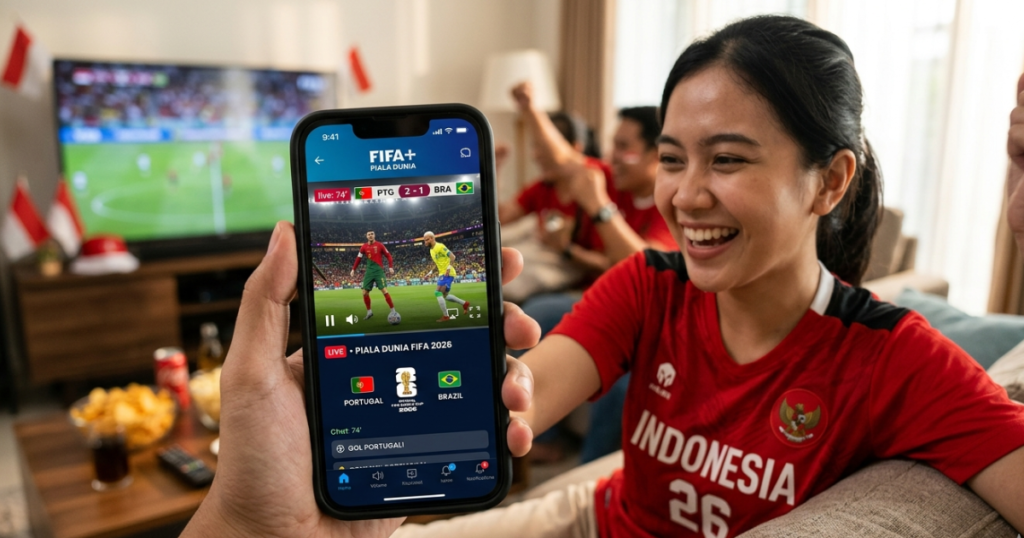
2026 World Cup Streaming App is the best solution for football fans who want to watch all the matches live on their smartphones. The world’s biggest football tournament will take place from June 11 to July 19, 2026, with a new format featuring 48 participating countries and a total of 104 matches.
With matches spread throughout the day, many fans are choosing to use 2026 World Cup streaming apps to stay on top of their favorite teams’ matches, whether at home, at work, or on the go.
In this article, we’ll discuss recommendations for the best 2026 World Cup streaming apps available for Android and iPhone devices.
Why Use a 2026 World Cup Streaming App?
Advances in streaming technology have made watching football more convenient. With a 2026 World Cup streaming app, users can enjoy matches anytime, anywhere.
Some of the advantages of using streaming apps include:
- Watch matches live on your smartphone.
- Get goal and result notifications.
- Access match replays.
- Real-time player and match statistics.
- Flexibility without the need for cable TV.
1. Fubo: The Most Comprehensive 2026 World Cup Streaming App
Platform: Android and iOS
Fubo is one of the best 2026 World Cup streaming apps because it offers comprehensive match coverage on one platform.
Fubo Advantages
- Unlimited Cloud DVR.
- Supports English and Spanish broadcasts.
- Full HD streaming.
- Access to a variety of popular sports channels.
Suitable For
- Football fans who want to follow every match.
- Users who frequently watch replays.
2. Sling TV: A More Affordable 2026 World Cup Streaming App
Platform: Android and iOS
For users on a budget, Sling TV is a 2026 World Cup streaming app that offers a more affordable price than other premium services.
Sling TV Advantages
- Daily and weekly packages.
- More economical subscription prices.
- No long-term contract required.
- Simple and easy-to-use interface.
Suitable For
- Casual viewers.
- Users who only want to watch specific games.
3. FOX One and FOX Sports
Platform: Android and iOS
FOX One and FOX Sports are popular choices because they offer a modern viewing experience with various interactive features.
FOX One Benefits
- Live match coverage.
- Real-time match statistics.
- Fast video highlights.
- Modern interface.
Perfect For
- Football statistics enthusiasts.
- Viewers who appreciate interactive features.
4. DirecTV Stream for Streaming the 2026 World Cup
Platforms: Android and iOS
DirecTV Stream offers a premium viewing experience with consistent streaming quality.
DirecTV Stream Benefits
- Cloud DVR for up to 9 months.
- Stable video quality.
- Supports multiple devices.
- Perfect for important matches.
Suitable For
- Users who prioritize streaming quality.
5. Peacock: Spanish-Language 2026 World Cup Streaming App
Platform: Android and iOS
Peacock is the best choice for fans of Spanish-language soccer broadcasts.
Peacock Benefits
- Broadcasts from Telemundo and Universo.
- Automatic highlights.
- Catch-Up Fast Forward feature.
- Lightweight and responsive interface.
Suitable For
- Viewers who prefer Spanish commentary.
6. Official FIFA World Cup 2026 App
Platform: Android and iOS
The official FIFA app isn’t a 2026 World Cup streaming app, but it’s a very useful companion while watching the matches.
Key Features
- Live scores.
- Match statistics.
- Full schedule.
- Stadium information.
- Official digital ticket.
- Predictions and bracket challenges.
Advantages
Provides official information and real-time match updates.
7. Tubi and YouTube for 2026 World Cup Highlights
Platforms: Android and iOS
If you’re looking for free alternatives, Tubi and YouTube are great options.
Tubi
- Free with ads.
- Match replays.
- Football analysis and studio program.
YouTube
- Match highlights.
- Best goal compilations.
- Match analysis and reviews.
World Cup 2026 Streaming Apps Comparison
| Apps | Live Streaming | Free | Features Home |
|---|---|---|---|
| Fubo | Yes | No | Unlimited Cloud DVR |
| Sling TV | Yes | No | Daily and weekly packages |
| FOX One | Yes | Partial | Real-time stats |
| DirecTV Stream | Yes | No | DVR up to 9 months |
| Peacock | Yes | No | Spanish language broadcast |
| FIFA World Cup App | No | Yes | Live scores and stats |
| Tubi | Partial | Yes | Replays Free |
| YouTube | No | Yes | Match Highlights |
Tips for Saving Data When Using 2026 World Cup Streaming Apps
Use 720p Resolution
720p resolution is comfortable enough for watching football and can save up to 50% on internet data usage.
Use Wi-Fi
If available, use a Wi-Fi network to avoid using up your mobile data.
Activate Battery Saver Mode
Streaming matches for 90 minutes or more can drain your battery quickly.
Close Background Apps
Closing unused apps can improve streaming performance.
FAQs About 2026 World Cup Streaming Apps
What are the best 2026 World Cup streaming apps?
Fubo is one of the best 2026 World Cup streaming apps because it offers comprehensive match coverage and unlimited Cloud DVR features.
Are there any free 2026 World Cup streaming apps?
Tubi and YouTube offer free content in the form of match highlights and certain replays.
How much data is needed to watch one match?
HD quality streaming typically uses around 1.5 to 3 GB of data for a full match.
Can I watch the 2026 World Cup on Android and iPhone?
Yes, almost all 2026 World Cup streaming apps are available for Android and iPhone devices.
Conclusion
Choosing the right 2026 World Cup Streaming App will make your viewing experience more convenient and flexible. Fubo is suitable for users who want a comprehensive service, Sling TV offers a more affordable option, while Tubi and YouTube can be free alternatives for enjoying match highlights.
With a stable internet connection and the right 2026 World Cup streaming app, you won’t miss a single important moment of the world’s biggest football tournament.
